
Custom business systems and web apps
When a normal website is not enough, I can build the system behind it too.
Some businesses need more than pages and contact forms. They need applications, dashboards, booking logic, customer portals, internal tools, or an app that helps the business actually run better. That is the kind of work this is for.
Good fit for this kind of project
What this covers
Built for the parts of the business that need real workflow, not just better wording.
This can be customer-facing, internal, or both. The point is to make the process easier to use, easier to manage, and easier to grow without duct-taping ten tools together.
Application flows
Online applications, intake forms, review steps, approval workflows, and organized submission handling.
Admin dashboards
A single place to manage leads, applications, customers, listings, bookings, or other business activity.
Customer and staff portals
Logins, user roles, protected areas, account views, and simple tools for customers, staff, or partners.
Booking and management systems
Availability, reservations, property or service management, calendars, and payment-connected workflows.
Internal tools
Systems that replace spreadsheet chaos, scattered texts, or messy manual processes with one cleaner workflow.
SaaS-style web apps
Interactive software products with accounts, saved data, subscriptions, notifications, and repeat use.
Proof
Real screenshots from the kind of systems I mean.
One example is a real business operations build. The other is a product-style app. Together they show public-facing pages, intake flows, admin tools, user settings, and ongoing workflow management.
Clark Transportation Services
Driver recruiting website, application flow, and protected admin system.
This project goes beyond a normal recruiting site. It combines a public-facing website with driver intake, quick apply and full application paths, a protected staff login, and an admin side that helps the company review applications and manage public website content in one place.
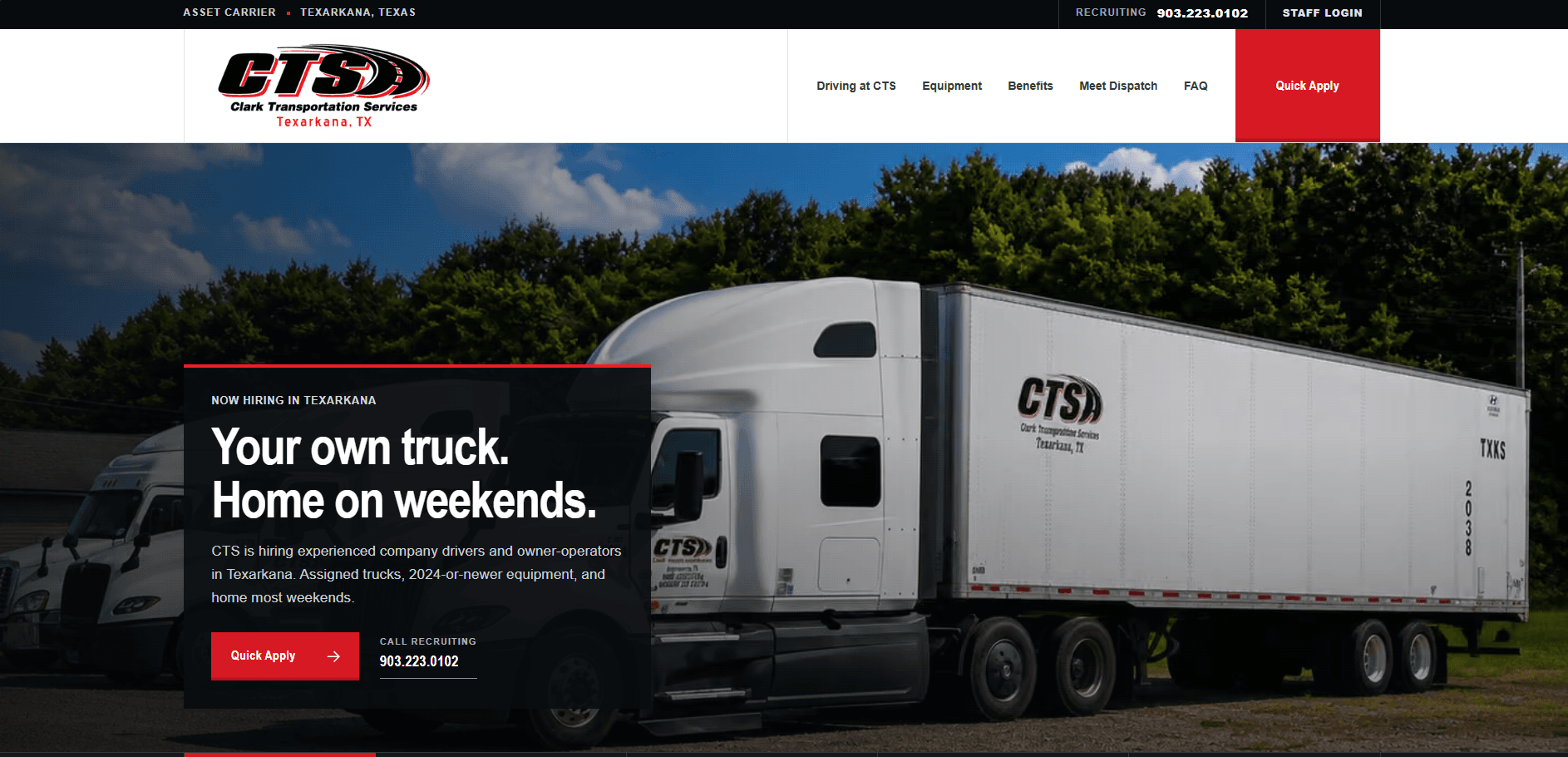
Public recruiting website
A polished front-end recruiting site built to bring drivers in and guide them into the application process.
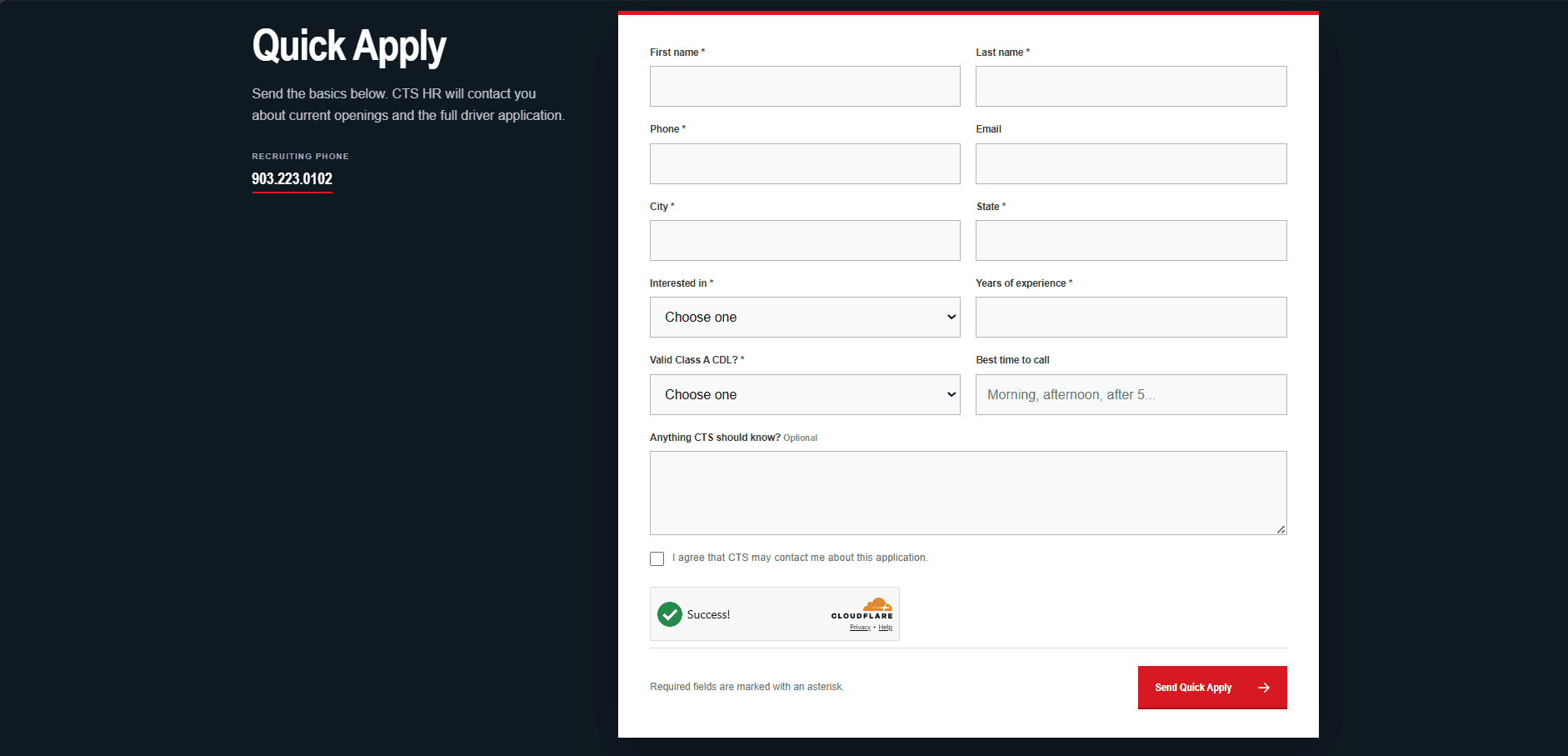
Quick apply flow
A focused intake flow that captures the basics fast and makes it easy for the company to follow up.
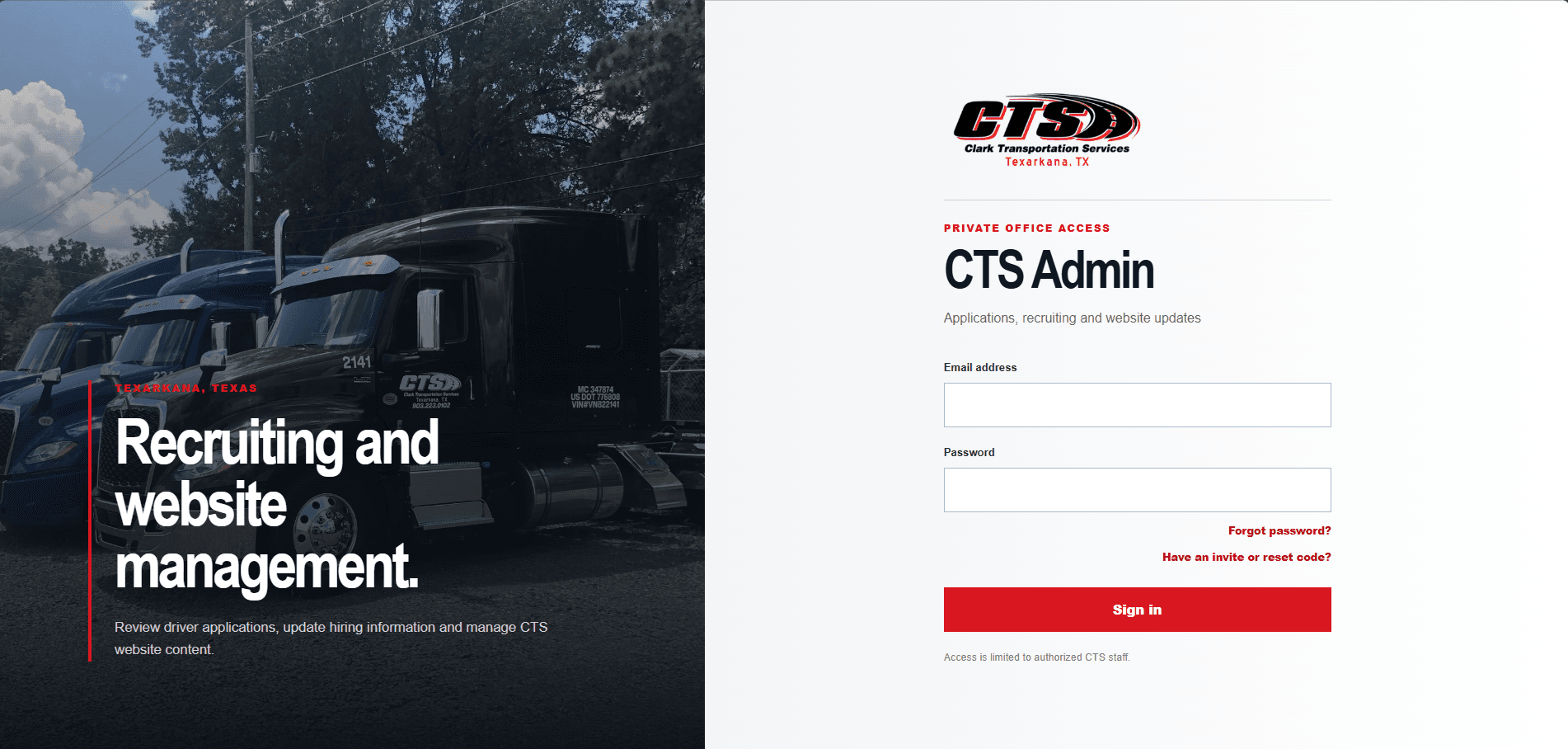
Staff login
Protected office access for authorized users who need to manage applications and website content.
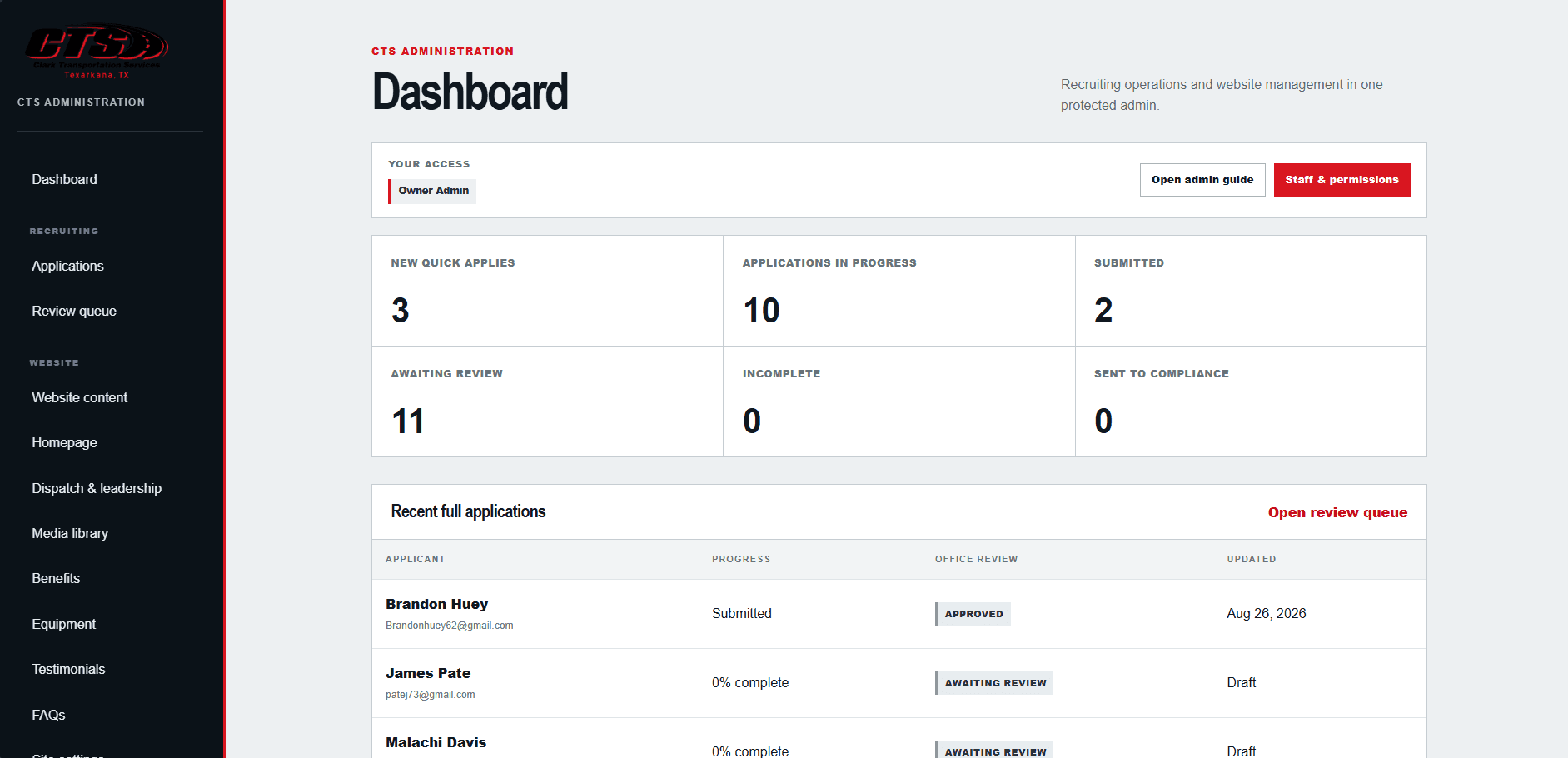
Admin dashboard
A central dashboard for recruiting activity, review status, and day-to-day management.
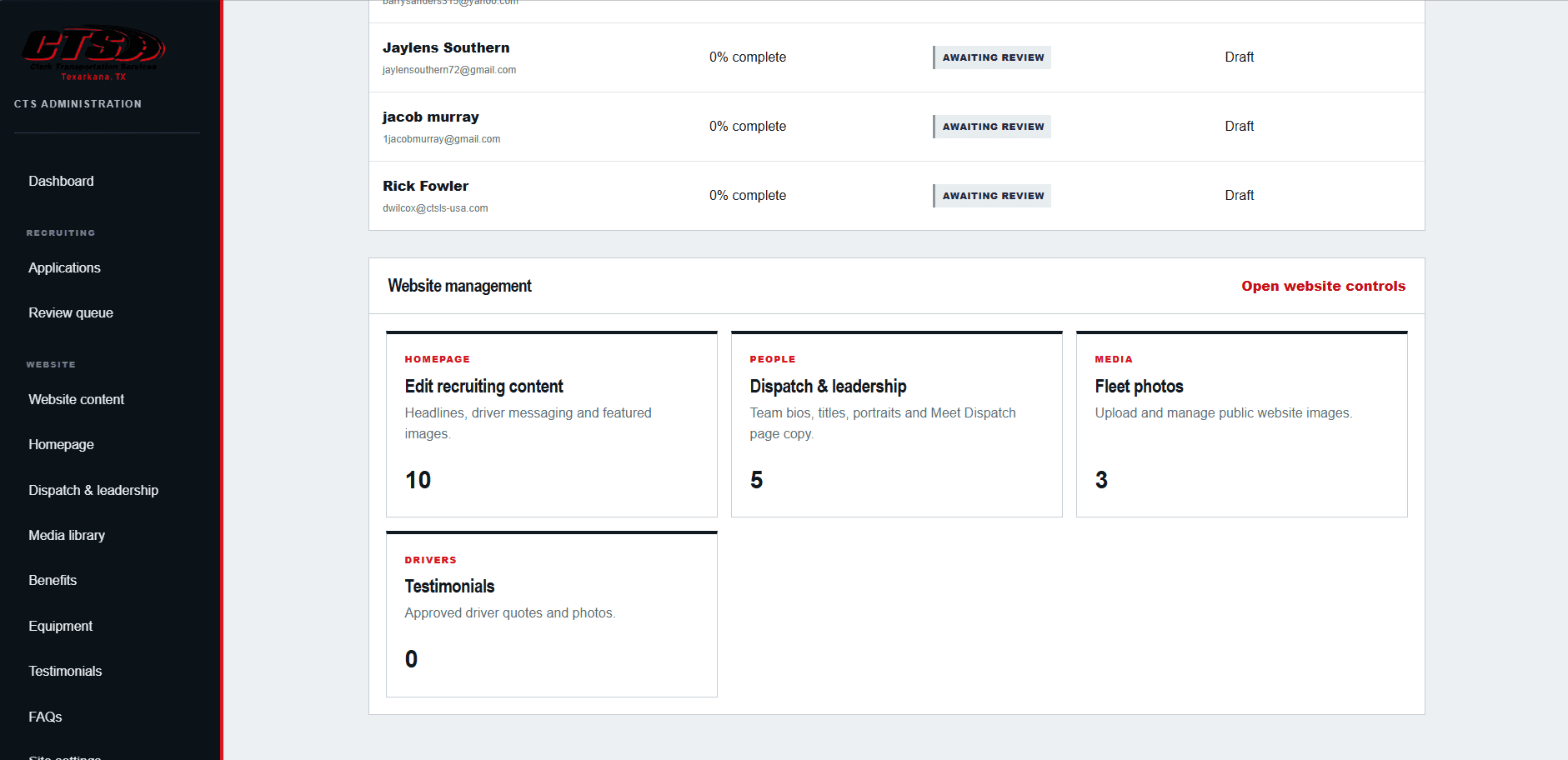
Website content controls
An admin area for managing the public site without digging around in code every time something changes.
Webvidence
A product-style app built around prospecting, evidence, outreach, and tracking.
Webvidence is a more app-like example. It is built to help users search markets, surface prospects, gather useful evidence, manage outreach settings, and keep track of saved prospects and follow-up work over time. That makes it a strong example of workflow-first software, not just a set of static pages.
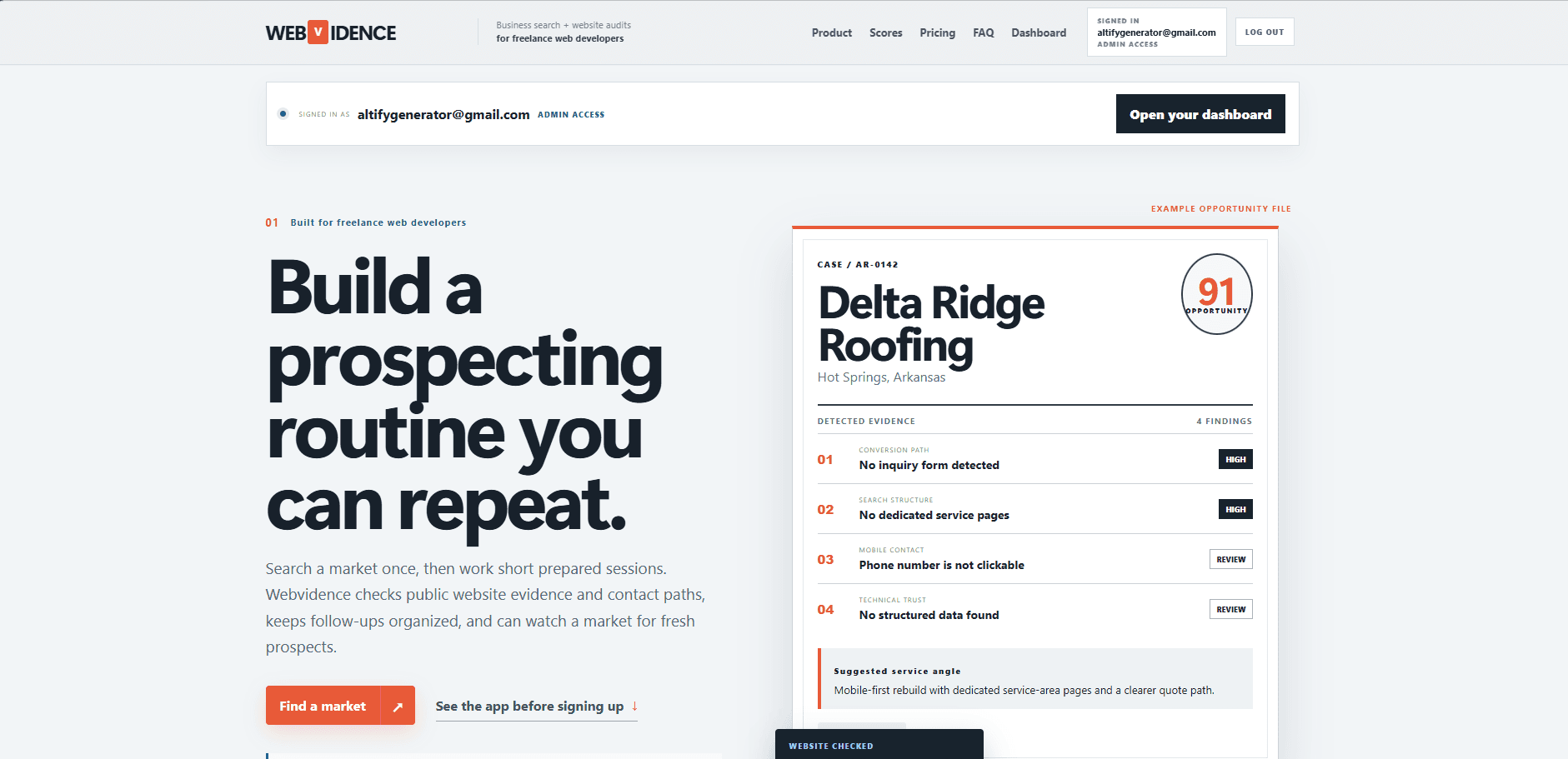
Public product page
A public-facing product page that explains the app clearly and sells the value of the workflow.
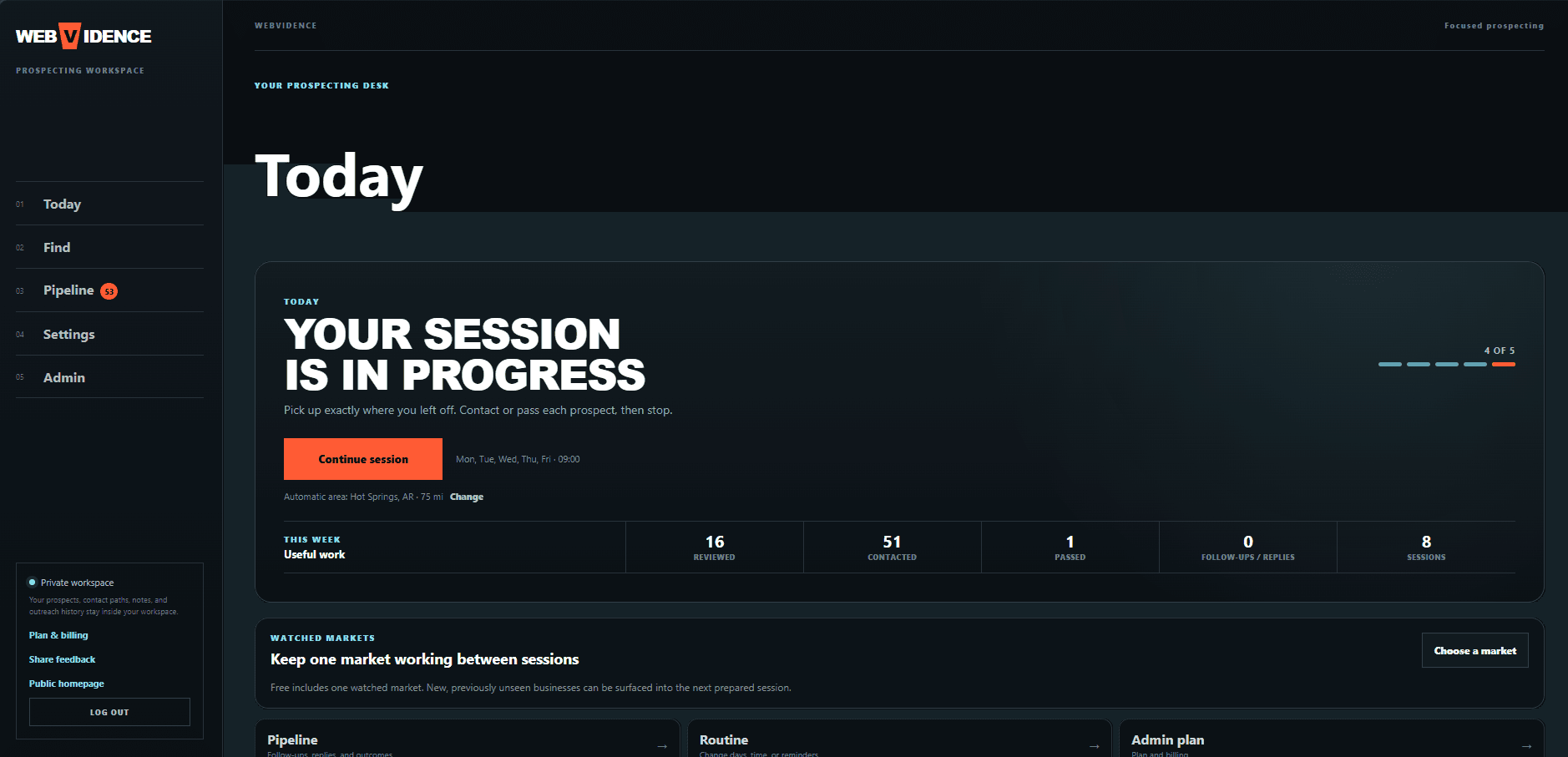
Today dashboard
An app dashboard built around repeat use, active sessions, and practical next actions.
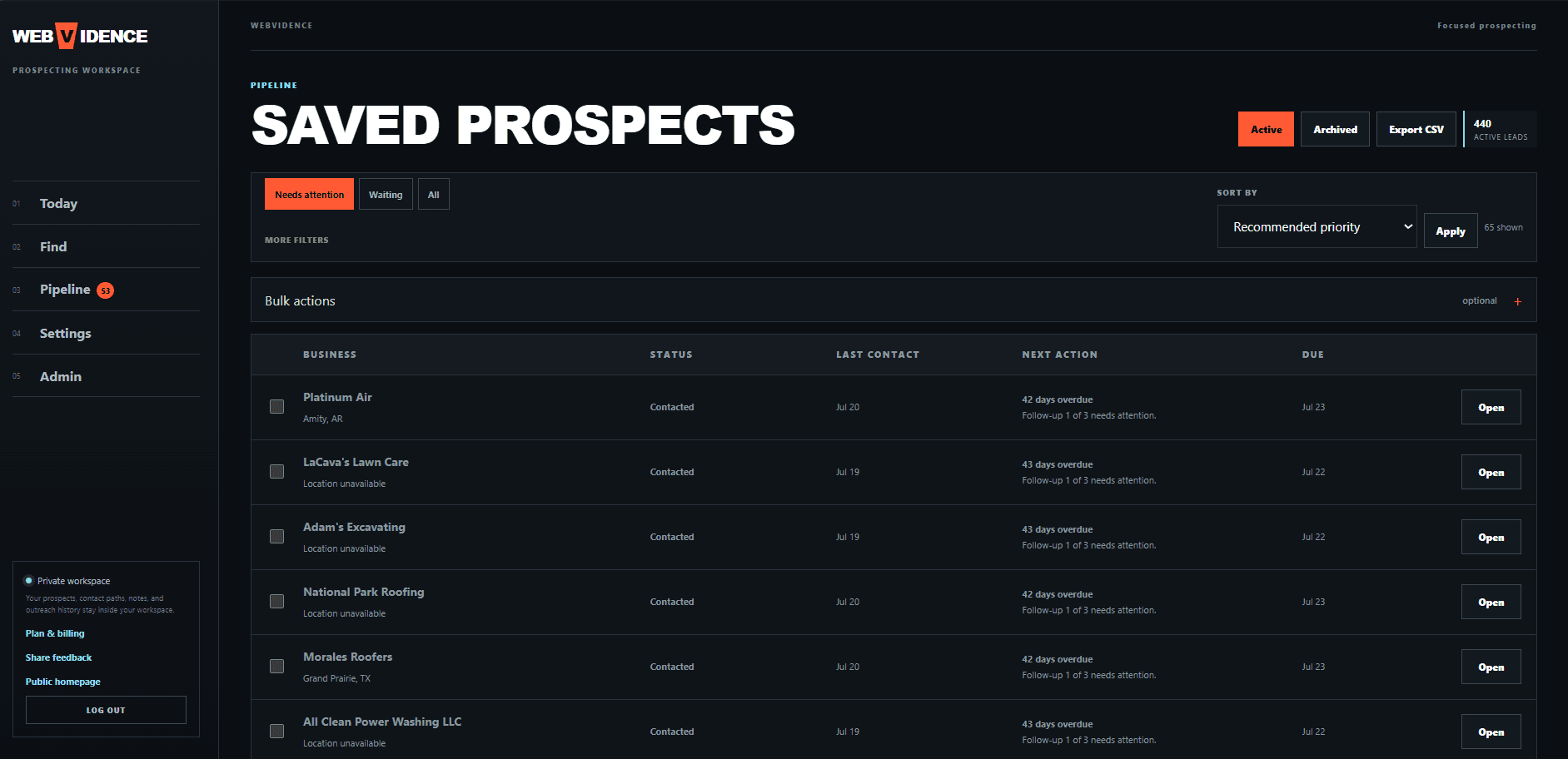
Pipeline and tracking
Saved prospect management with filters, statuses, due dates, and follow-up visibility.
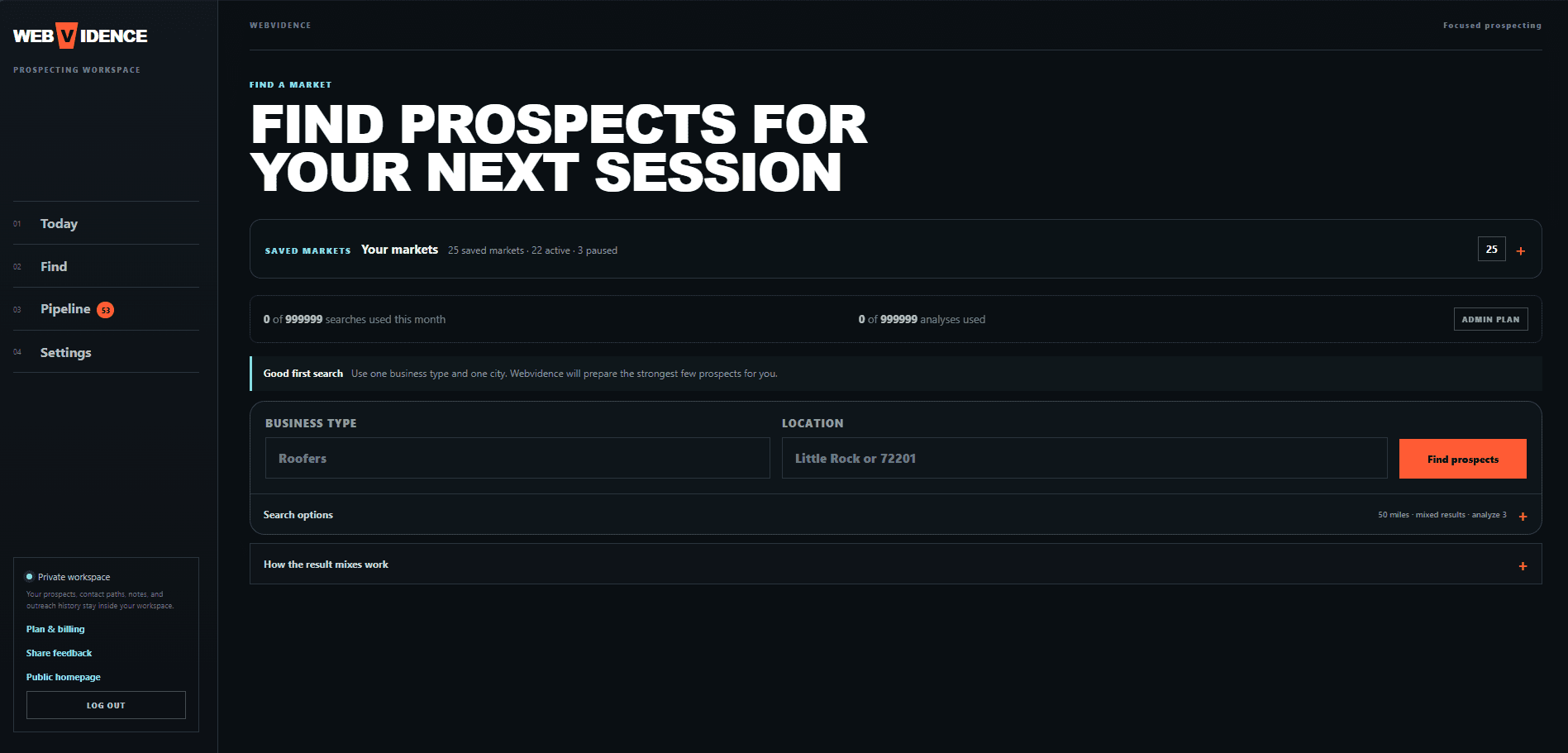
Prospect search workflow
A search interface designed to help users build a focused prospecting session around one market.
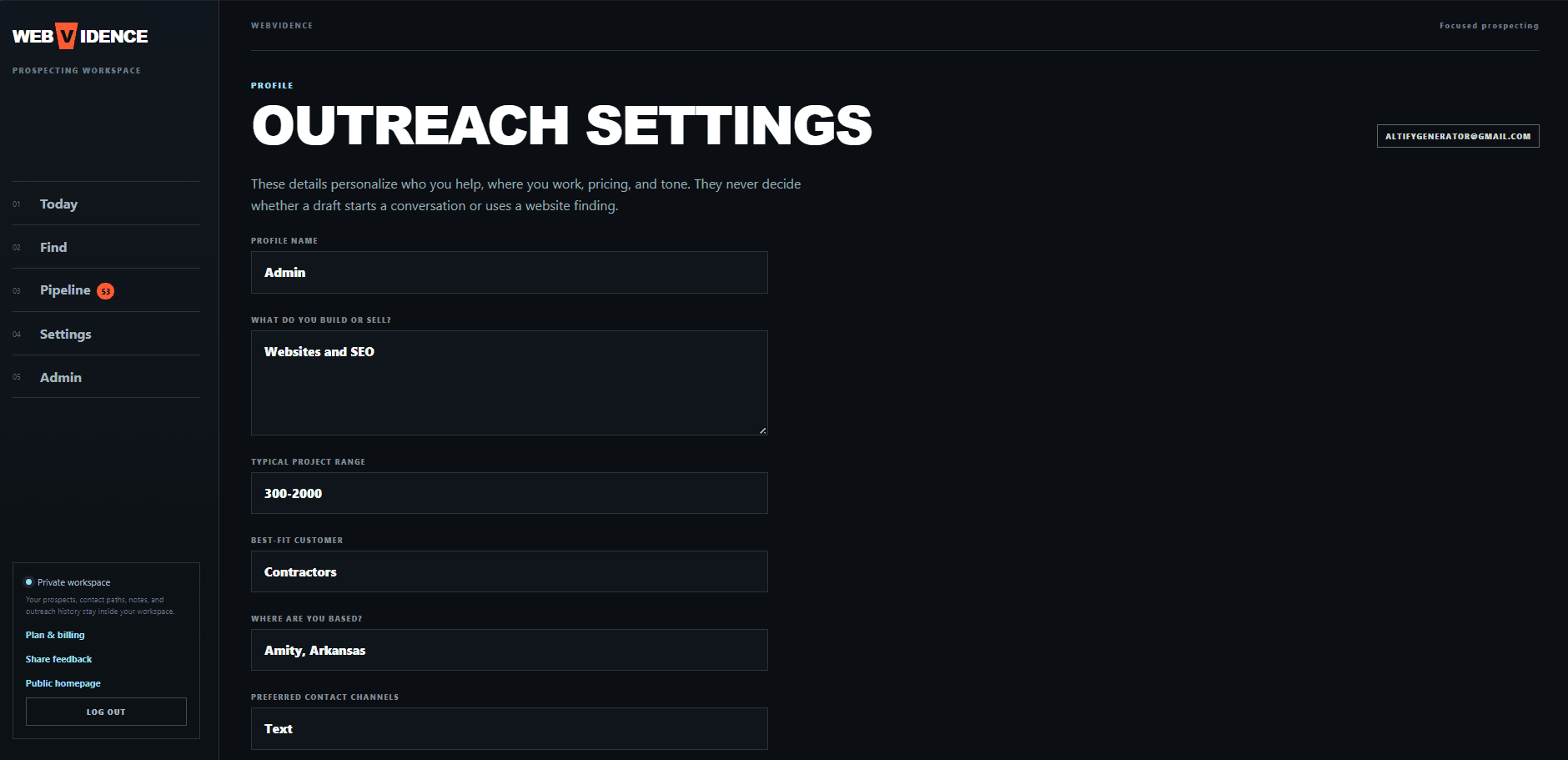
User settings and profile logic
Profile and outreach settings that shape how the product behaves for each user.
How it usually works
The goal is to solve the real problem first, not overbuild something fancy and messy.
A lot of software projects get bloated because people try to build everything at once. I would rather build the useful version first, get it working, and grow it from there.
01
Start with the workflow
We map how you are doing it now, where it breaks down, and what needs to happen instead.
02
Plan the useful version first
The first version should solve the main problem cleanly. It does not have to be bloated to be valuable.
03
Build around the real use case
Forms, dashboards, roles, statuses, and automations are built around how your business actually works.
04
Improve from there
Once the core system works, we can expand it in practical stages instead of guessing up front.
FAQ
Common questions about custom systems and app-style builds.
What counts as a custom business system?
Anything that goes beyond a normal brochure website. That can mean online applications, admin dashboards, portals, booking systems, lead tracking, workflow tools, subscriptions, or an actual web app with user accounts and saved data.
Do I need to know exactly what to ask for?
No. Most people do not know the technical name for what they need. If you can explain how you are doing it now and what you wish would happen instead, that is enough to start from.
Can this tie into payments, forms, or email updates?
Yes. Depending on the project, systems can include payments, subscriptions, role-based access, automated emails, saved records, search, status tracking, dashboards, and more.
Is this only for big companies?
Not at all. A lot of small businesses reach a point where the work itself is fine, but the process around it is clunky. A smaller custom system can fix that without needing a huge enterprise build.
Need a system, not just a site?
Tell me what you are doing now and what you wish would happen instead.
That is usually enough to start the conversation. We can figure out the cleaner workflow, the first useful version, and whether it makes sense as a customer portal, admin system, booking flow, or web app.